
ZebraDesigner 3
Label design
Zebra’s label, tag and receipt design software for Windows: free Essentials, licensed Professional and a free Developers edition.
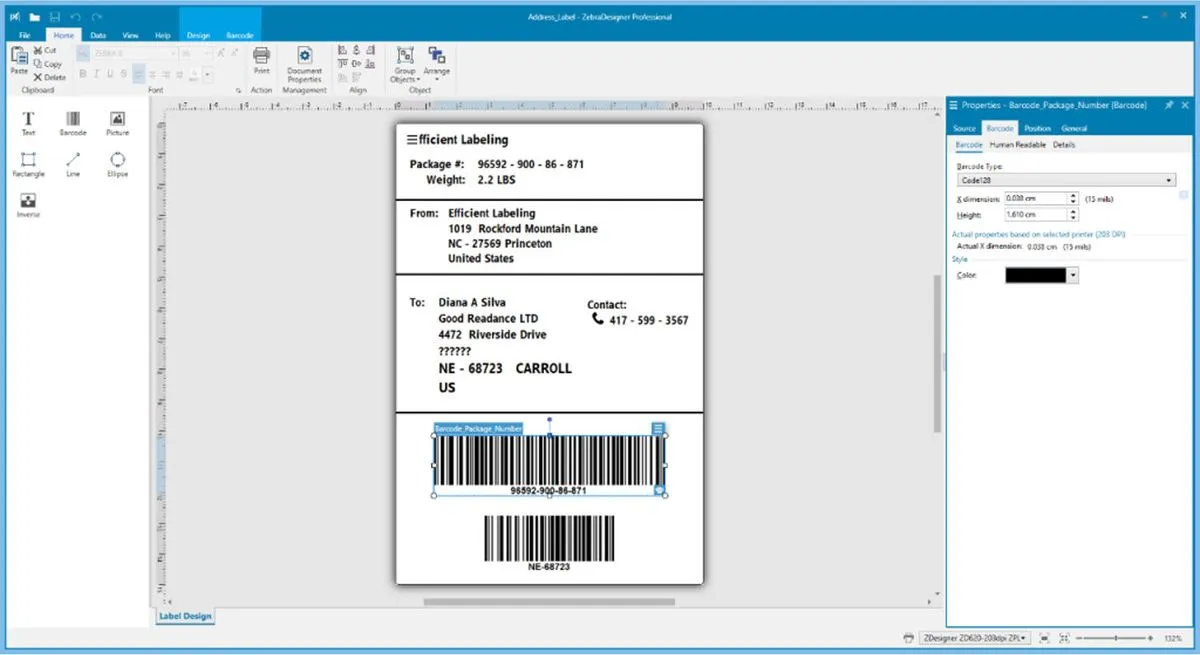
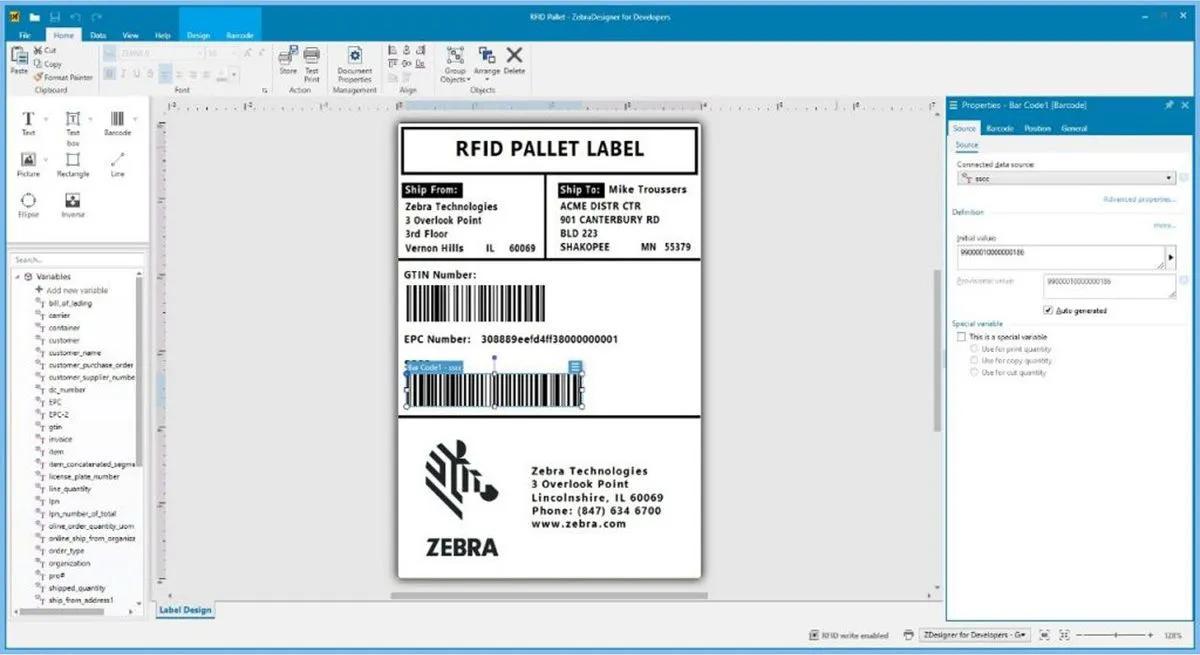
ZebraDesigner 3 is Zebra’s WYSIWYG design program for labels, tags and wristbands, with an Office-style interface in 20 languages and ready-made templates. Essentials is free and covers text, barcodes and graphics with keyboard input, date, time and counter data and the GS1-128 wizard. Professional adds a database connection (Excel, Access, text files or any ODBC source), RFID label encoding, data manipulation and concatenation and simple VB scripting. ZebraDesigner for Developers, also free, builds label and receipt templates in ZPL for use from other applications; it does not print production runs itself.
Version 3 opens ZebraDesigner 2 files and works with the ZDesigner Windows drivers: v10 is recommended for Link-OS printers and ZPL, v5 for formats that use EPL or CPCL.
Licensing: Professional needs a one-time licence per installation and can be tried free for 30 days. Since July 2025 Zebra issues licences on a new platform (Thales Sentinel): a licence is a Customer ID plus a License Key, and activating it needs version 3.3.x or later. Older licence numbers beginning 3467 keep working where they are installed, but can no longer be activated, deactivated or reset; Zebra replaces them free of charge.
Editions
- Free
ZebraDesigner Essentials 3
Basic label and tag design; no licence key.
- Licence
ZebraDesigner Professional 3
One-time licence per installation; 30-day free trial.
- Free
ZebraDesigner for Developers 3
ZPL label and receipt templates for other applications; no production printing.
Edition comparison
| Feature | ZebraDesigner Essentials 3 | ZebraDesigner Professional 3 | ZebraDesigner for Developers 3 |
|---|---|---|---|
| Opens ZebraDesigner 2 (LBL) and 3 (NLBL) files | ● | ● | ● |
| Native printer fonts and barcodes, Unicode | ● | ● | ● |
| Printer languages | CPCL, EPL, ZPL | CPCL, EPL, ZPL | ZPL only |
| GS1-128 wizard | ● | ● | — |
| Data entry at print time | ● | ● | — |
| Keyboard Display Unit (KDU) support | ● | ● | — |
| Print to file | ● | ● | — |
| Date, time and real-time clock | ● | ● | ● |
| Database connection (ODBC, ASCII files) | — | ● | — |
| Pick database records at print time | — | ● | — |
| RFID wizard and RFID encoding | — | ● | ● |
| Simple VB script | — | ● | — |
| Export templates with ZPL or XML recall commands | — | — | ● |
System requirements
| Runs on | Windows |
|---|---|
| Operating system | Windows 10, Windows 11 (desktop); Windows Server 2019, 2022, 2025 — 32 or 64 bit |
| Processor | Intel or compatible x86 |
| Memory | 2 GB RAM |
| Disk space | 1 GB free |
| Display | 1366 × 768 or higher |
| Software | Microsoft .NET Framework 4.7.2; ZDesigner Windows driver 10.6 or later recommended (v5 for CPCL/EPL) |
| Virtualisation | Remote Desktop and virtual machines not supported, except Hyper-V |
Works with
Zebra · Desktop label printers, Industrial label printers, Print engines
Documents
- ZebraDesigner fact sheetDatasheet · ENRequest it
- ZebraDesigner for Developers fact sheetDatasheet · ENRequest it
We send the documents by email: choose the ones you need and send the form below.